
1Stores Integrations
Open Stores Integrations and press the button for your platform, then approve the connection on that platform.
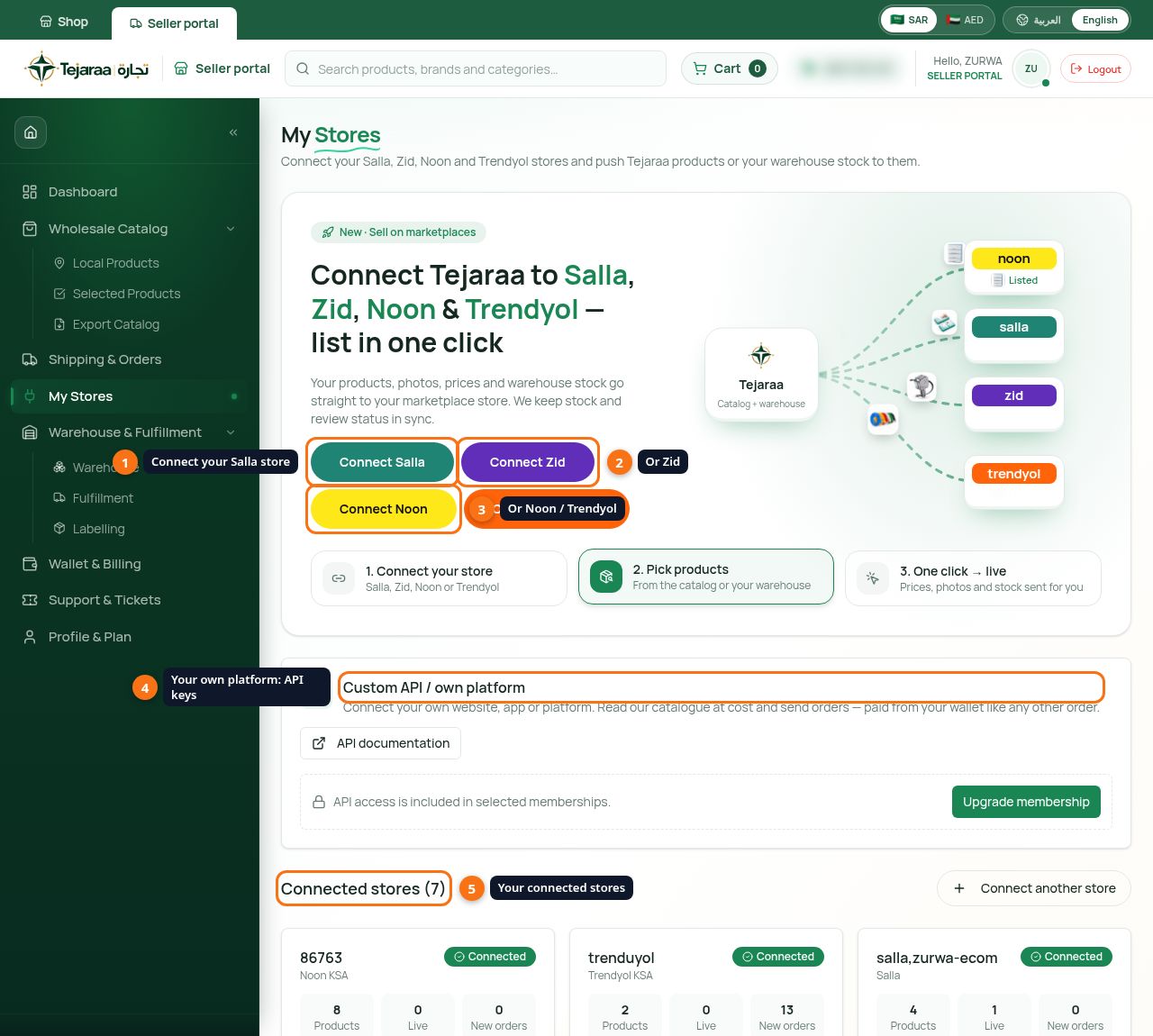
- 1Connect your Salla store.
- 2Or Zid.
- 3Or noon / Trendyol.
- 4Your own website or app: create API keys.
- 5Your connected stores.
2Set your prices and publish
Open the store, check the pricing formula (on by default), then tick products in "Ready to publish" and submit. Categories for noon and Trendyol are pre-mapped by Tejaraa; your own mapping wins.
Common questions
Do orders from my store come automatically?
Yes, new orders are imported. They are paid from your wallet before we ship.
Open in the portalWas this helpful?
Related guides
Still need help?
Open a ticket in the seller portal or email info@tejaraa.com.